
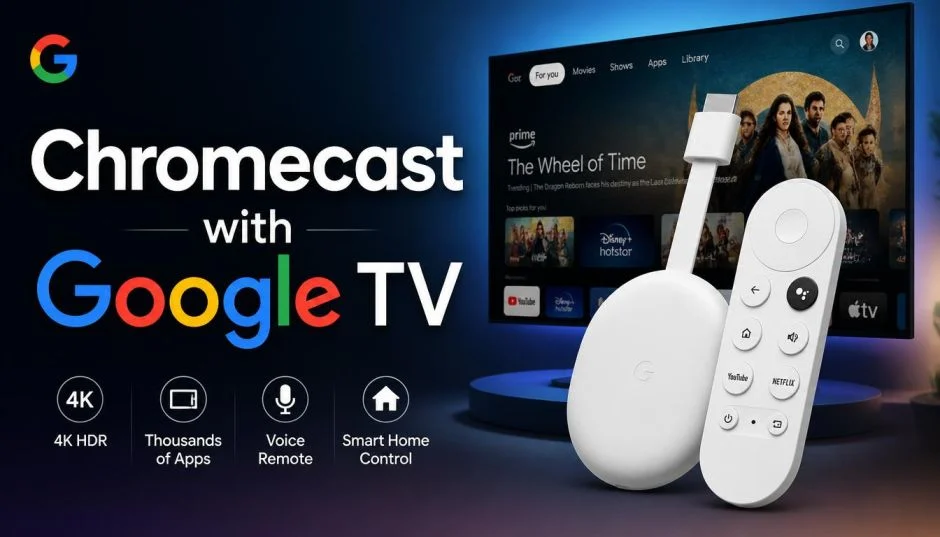
Google Chromecast with Google TV streaming device is still the cheapest way to add a proper smart interface to an old TV. I've used both the HD and 4K versions for over a year.
The HD model costs ₹4,499 in India, while the 4K version sits at ₹6,199. That price gap matters more than most reviews admit. The HD version gives you the same remote, the same interface, and the same Google Assistant features.
You only lose 4K resolution and a bit of RAM. For a bedroom TV or a secondary screen, the HD model makes more sense. For your main living room setup, the 4K version earns its extra cost. Here's what I learned from daily use, including the remote features that actually changed how I watch TV.
The Voice Remote for Chromecast with Google TV: What Makes It Different?
The voice remote for Chromecast with Google TV isn't just a microphone stuck on a plastic stick. It changes how you navigate.
Press the Google Assistant button and speak. "Open Netflix." "Play The Office." "What's the weather?" The remote handles all of it. I stopped typing passwords and searching through grids within a week.
Read Also: How to Connect the Chromecast to the WIFI? Step by Step Guide
The layout feels familiar. Power button. Volume controls. Directional pad. Back and Home buttons. But the dedicated Assistant button sits right where your thumb rests. That placement matters. You reach for it naturally.
One feature surprised me. The remote controls your TV's power and volume through infrared or HDMI-CEC. You don't need your TV remote anymore. I packed mine away three months ago and haven't missed it.
The limitation nobody mentions: The remote uses two AAA batteries. Google doesn't include rechargeable ones. Budget for a spare pair. The remote also lacks a headphone jack, unlike the older Roku Ultra remote.
If you watch late at night, you'll need Bluetooth headphones paired directly to the Chromecast instead.
HD vs 4K: Which One Should You Actually Buy?
The spec sheets make the difference look obvious. The real-world experience is more nuanced.
Chromecast with Google TV (HD) streams up to 1080p HDR at 60fps. It carries 1.5GB of RAM. It supports Dolby Vision, HDR10/10+, and HLG. For a 1080p TV, this is everything you need.
Chromecast with Google TV (4K) pushes up to 4K HDR at 60fps. It has 2GB of RAM, 25% more than the HD version. That extra memory keeps the interface smoother when you switch between apps quickly. I noticed the difference during heavy navigation. The HD version stutters occasionally. The 4K version doesn't.
My honest take: Buy the HD version if your TV is 1080p or smaller than 43 inches. Buy the 4K version if you own a 4K TV and watch premium content on Netflix or Disney+ Hotstar. Don't buy the 4K version for a 1080p TV. You'll pay extra for pixels your screen can't display.
How to Hook an Android Phone to TV: The Chromecast Way
Searching how to hook android phone to tv usually brings up messy cable guides. Chromecast makes it wireless and simple.
Casting an app: Open YouTube or Netflix on your Android phone. Tap the Cast icon (the rectangle with Wi-Fi waves). Select your Chromecast. The video plays on your TV. Your phone becomes a remote. You can lock the screen or browse other apps without interrupting playback.
Mirroring your entire screen: Swipe down from the top of your phone. Tap "Screen cast" or "Smart View" on Samsung phones. Select your Chromecast. Everything on your phone appears on the TV. I use this for showing photos to family or playing mobile games on a bigger screen.
The catch with mirroring: It drains your phone battery faster than casting. It also mirrors notifications and incoming calls. Casting specific apps avoids both problems.
The Google TV Interface: What It Gets Right and Wrong?
Google TV puts all your streaming services on one screen. Recommendations from Netflix, Prime Video, Disney+, and YouTube appear together. No more jumping between apps to figure out what to watch.
You Must Also Like: Share Thread Network Credentials Google TV iPhone Easily
I liked this at first. After six months, the recommendations started repeating. Google TV pushes the same shows repeatedly if you don't rate content. Spend ten minutes marking things you've watched. The suggestions improve dramatically.
The storage problem: The 4K model ships with 8GB of storage . After installing Netflix, Prime Video, Disney+, and YouTube, I had about 3GB left. That's enough for a few more apps. Not enough for heavy gaming. The HD model has the same 8GB. Neither version supports expandable storage.
If you plan to install many apps, consider the Google TV Streamer instead. It offers 32GB of storage and 4GB of RAM . It costs significantly more, but it solves the storage headache.
Smart Home Control Without Leaving the Couch
The voice remote does more than find shows. Ask Google to dim your smart lights, adjust your thermostat, or check who's at the front door.
I connected my Wipro smart bulbs to the same Google Home account. Now I say "Hey Google, turn off the living room lights" and the Chromecast remote handles it.
This feature works only if your smart devices connect to Google Home. If you use Apple HomeKit or Amazon Alexa exclusively, the Chromecast won't control them. Check compatibility before buying.
The limitation: The Chromecast itself doesn't include a Thread border router or Matter hub. The newer Google TV Streamer does. If you're building a smart home around Matter devices, the Streamer is the better long-term choice. The Chromecast works fine for basic voice commands through Google Assistant.
Who Should Buy Chromecast with Google TV (And Who Shouldn't)?
Buy it if:
-
Your TV has an HDMI port but no smart features
-
You want Google Assistant voice control on your TV
-
You cast videos from your phone regularly
-
You want a cheap upgrade for a bedroom or guest room TV
Skip it if:
-
Your TV already runs Google TV or Android TV natively
-
You need 32GB of app storage (look at Google TV Streamer)
-
You use Apple TV or Alexa exclusively for smart home control
-
You want Wi-Fi 6 support (the Chromecast uses Wi-Fi 802.11ac)
I've recommended the HD version to three friends with older 1080p TVs. All three bought it. None returned it. The setup takes ten minutes. The remote pairs automatically. The interface feels modern. At ₹4,499, it's the cheapest way to make an old TV feel new again.
Just don't expect it to replace a high-end streaming box. The 8GB storage fills up fast. The 2GB RAM on the 4K version handles multitasking well enough. But if you demand flagship performance, save for the Streamer instead.
The Chromecast with Google TV isn't perfect. It's just the best value in streaming for most people. That's a different thing entirely.