
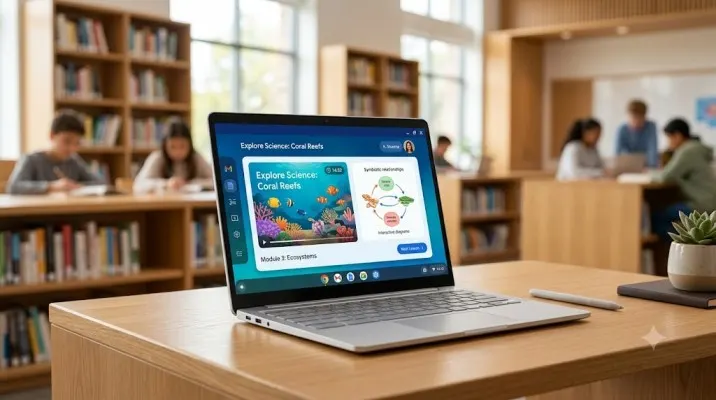
Shopping for a student laptop in 2026 feels different. The old advice about maxing out specs or spending a fortune doesn’t fit anymore. Most students just need a reliable machine for research, writing papers, attending online classes, and maybe some light coding.
Good Chromebooks for students have become the smart choice because they offer excellent battery life, strong security, and a user-friendly experience without the Windows headache.
I’ve spent weeks testing various models and watching students struggle with laggy budget laptops. The difference between a decent Chromebook and a frustrating one comes down to a few key choices. Here’s what actually matters in 2026.
Why Chromebooks Keep Winning for Students?
ChromeOS has matured significantly. The old stereotype about Chromebooks being glorified browsers doesn’t apply anymore. Modern top rated Chromebook for students now handle Android apps, Linux development tools, and heavy multitasking without breaking a sweat.
Read Also: Chromebook Connected to WIFI but No Internet Access Fix
The real advantage? Security. Chromebooks don’t get bogged down with antivirus software or random system crashes. They boot in seconds and stay fast because Google handles updates automatically in the background.
Battery life is another game-changer. Many models now last 10 to 18 hours on a single charge. You can go through an entire day of classes without hunting for power outlets. That’s something I’ve rarely seen with Windows laptops in the same price range.
What Actually Matters When Buying?
Processor Choice
Here’s where many students make expensive mistakes. Avoid older Intel Celeron processors if you can. They’re fine for basic browsing but choke quickly when you open multiple tabs or run Android apps.
For 2026, aim for at least an Intel Core i3 or newer MediaTek Kompanio chips. The Acer Chromebook Plus Spin 514 with its MediaTek Kompanio Ultra 910 processor shows what modern Chromebooks can do. It’s genuinely snappy for everyday tasks .
The 8GB RAM Rule
Never buy a Chromebook with 4GB RAM in 2026. It’s simply not enough. Students typically run 15-20 browser tabs, Google Docs, Spotify, and maybe Android apps simultaneously. 4GB models start stuttering almost immediately.
WIRED recommends 8GB as the absolute minimum for a smooth experience . If budget allows, consider 12GB or 16GB for future-proofing.
Storage Reality Check
Most student work lives in the cloud. Google Drive, OneDrive, and cloud-based IDEs mean you don’t need massive local storage. 64GB eMMC works for most people.
The ASUS Chromebook CX14 offers 128GB options for around ₹20,990, which gives extra breathing room for downloads and offline files .
Best Options for Different Budgets
Under ₹20,000: The Value King
The ASUS Chromebook CX14 has become my top recommendation for budget-conscious students. At ₹18,990 for the base model, it offers a 14-inch Full HD display, Intel Celeron N4500 processor, and 4GB RAM.
You Must Also Like: How to Fix Chromebook Black Screen After Update?
What makes it genuinely useful? The 180-degree hinge lets you lay it flat for sharing work with classmates. Weight is just 1.39kg, lighter than most textbooks. Battery life handles a full college day without stress .
The 4GB RAM limitation is real though. Stick to browsing, document editing, and light coding. Don’t expect heavy Android gaming or intense multitasking. It’s a solid entry-level machine that won’t disappoint for basic student needs.
₹20,000 – ₹40,000: The Sweet Spot
The Acer Chromebook Spin 312 represents exceptional value when found on sale. MSRP is around $450, but I’ve seen it drop to $299-319 regularly . It packs an Intel Core i3-N305 processor with 8GB RAM and 128GB storage.
The compact 12.2-inch convertible design works brilliantly for students moving between classes. Touchscreen functionality adds genuine value for note-taking and presentations. Battery life around 18 hours means you might charge it every other day .
One downside: the screen brightness isn’t spectacular at around 300 nits. It works fine indoors but struggles in bright sunlight.
Premium Pick: Chromebook Plus Models
For students doing heavier work like video editing or serious coding, Chromebook Plus models deliver significant power upgrades. The Lenovo Chromebook Plus with 15.3-inch 2K touchscreen drops to around $429 on sale .
It features an Intel Core 3 processor, 8GB RAM, and supports up to 17 hours battery life. The Acer Chromebook Plus Spin 514 impresses with its 120Hz refresh rate touchscreen – something I haven’t seen on many other Chromebooks .
It makes cloud gaming and video watching look noticeably smoother. The 18+ hour battery life trounces most Windows laptops.
Touchscreen or Not?
Students often ask about touchscreen Chromebooks. Here’s my honest take: unless you plan to draw, take handwritten notes, or use tablet mode frequently, skip it. Touchscreens add cost and drain battery faster.
That said, convertible models like the Acer Chromebook Spin 312 offer genuine flexibility. The ability to flip into tent mode for watching lectures or tablet mode for reading PDFs adds real value for visual learners .
Student-Specific Features Worth Paying For
Durability Matters
Students are rough on devices. Backpacks get dropped, coffee spills happen, and laptops get shoved into crowded bags. Models with MIL-STD-810H military-grade durability survive this punishment.
The ASUS Chromebook CZ series specifically targets student needs with rubber bumpers, spill-resistant keyboards, and Gorilla Glass screens . Starting at 1.28kg with up to 19 hours battery, these make perfect campus companions.
Webcam and Audio Quality
Online classes and video calls aren’t going away. Good Chromebooks for students need decent webcams and microphones. The ASUS Chromebook CX14 includes an FHD camera with dual mics and stereo speakers, making virtual classes more bearable .
Connectivity
Look for models with both USB-C and USB-A ports. The ASUS Chromebook CX14 offers a solid mix: USB-C, USB-A, HDMI, and headphone jack . You won’t need dongles for basic peripherals.
What to Avoid?
4GB RAM Models
Unless your budget absolutely forces it, avoid 4GB RAM. The performance difference between 4GB and 8GB is night and day. Students trying to research, write, and stream simultaneously will hit frustrating slowdowns.
Old Celeron Processors
The Intel Celeron N4500 in budget models works for basic tasks but struggles with Android apps or heavy multitasking. If possible, stretch to Core i3 or MediaTek Kompanio chips .
Dim Screens
Anything under 250 nits brightness becomes painful indoors and useless outdoors. Many budget models cut corners here. Check brightness ratings before buying.
The Final Thoughts
For pure budget buys: ASUS Chromebook CX14 at ₹18,990. It’s light, durable, and handles student basics. Just accept the 4GB RAM limitation.
For best value: Acer Chromebook Spin 312 when on sale. The 8GB RAM, touchscreen flexibility, and exceptional battery life make it worth the extra spend.
For power users: Lenovo Chromebook Plus or Acer Chromebook Plus Spin 514. The premium build, better processors, and longer update support justify higher prices.
Remember: the best Chromebook matches your specific needs. A literature student writing papers doesn’t need the same machine as a computer science student running development environments. Choose based on your actual workload, not marketing hype.
The Chromebook market in 2026 offers genuine quality across price points. Pick wisely, and your student laptop will serve you well through graduation and beyond.